
Account Deletion
Last updated:
You can request deletion from your Kira account settings. There is a 30-day grace period before permanent deletion, during which you can cancel the request. Once deletion is completed, the account cannot be restored.
If you only want to stop paying, use subscription cancellation instead. Cancelling a subscription and deleting an account are different actions.
Before you request deletion
- Download any images or videos you want to keep.
- Check that you are signed into the account you intend to delete.
- Review your active subscription. App Store and Google Play subscriptions must be cancelled separately in the store, even if you delete your Kira account or uninstall the app.
- If you need help with a payment or sign-in problem, contact live chat or [email protected] before deleting the account.
Request deletion on web
- Open Profile, then Settings.
- Select Account management in the Account section.
- Choose Delete account.
- Select a reason. If you select Other, enter the requested feedback.
- Choose Done to submit the request.
- Check the deletion countdown shown on Account management.
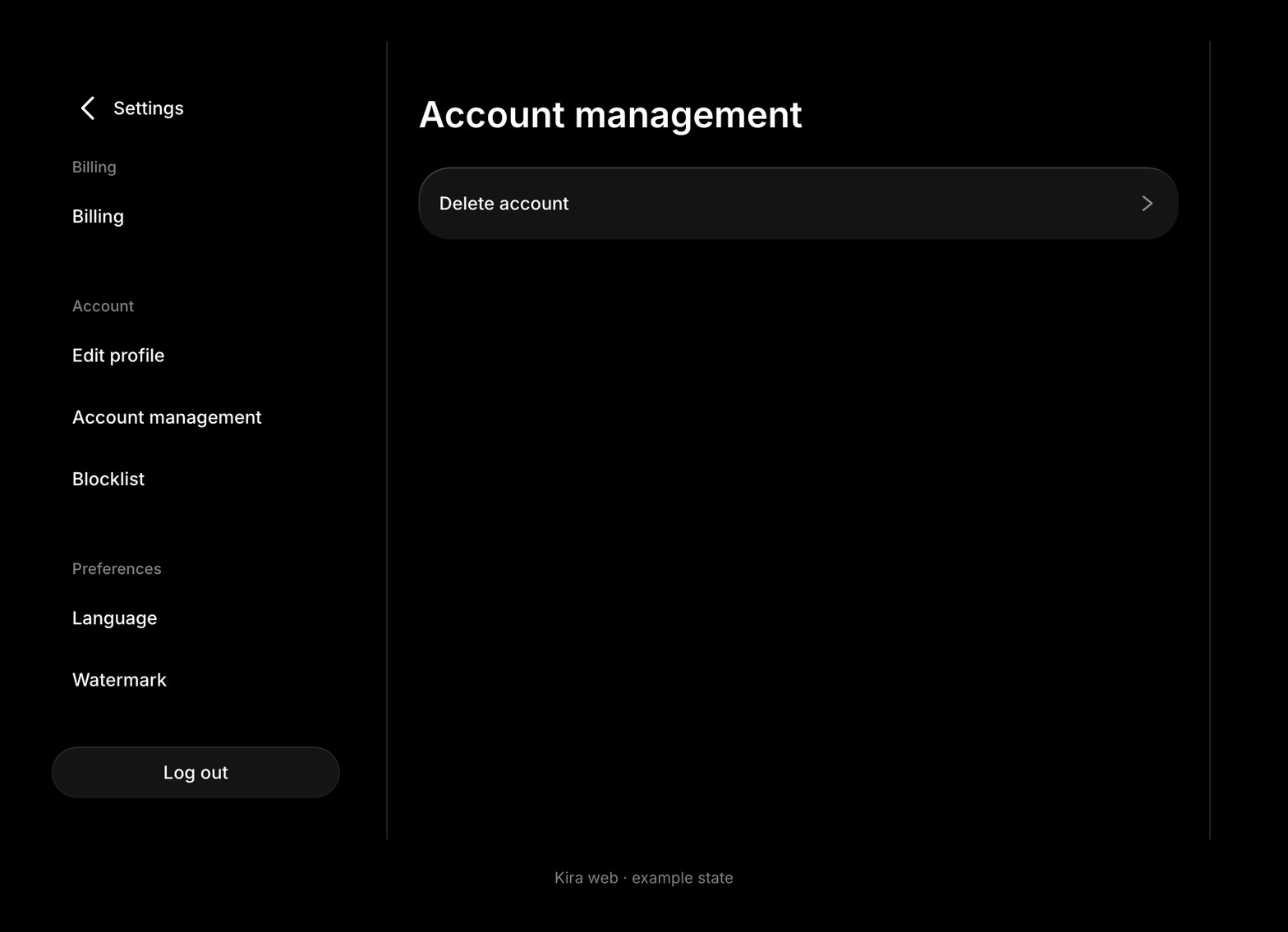
You can open Account management directly after signing in. On mobile web, the same section is available in Profile's Settings.
Request deletion in the app
Open Settings → Account Management → Delete Account, then follow the confirmation steps shown in the app.
If you cannot access your account, email [email protected] from the email address associated with it. Support may need to verify ownership before handling the request.
The 30-day grace period
Submitting a request schedules deletion; it does not permanently delete the account immediately. The Account management screen shows the time remaining.
You can sign back in during the grace period and cancel the request. Signing in alone does not cancel it—use the cancellation action and check the confirmation.
Do not assume that a deletion request makes all previously published content private. If you want to remove a public post before deletion completes, remove it through the normal post controls.
Cancel a pending request
- Sign into the account before its deletion date.
- Open Settings → Account management.
- Choose Cancel deletion or Cancel Deletion, depending on the interface.
- Wait for the confirmation and check that the countdown has disappeared.
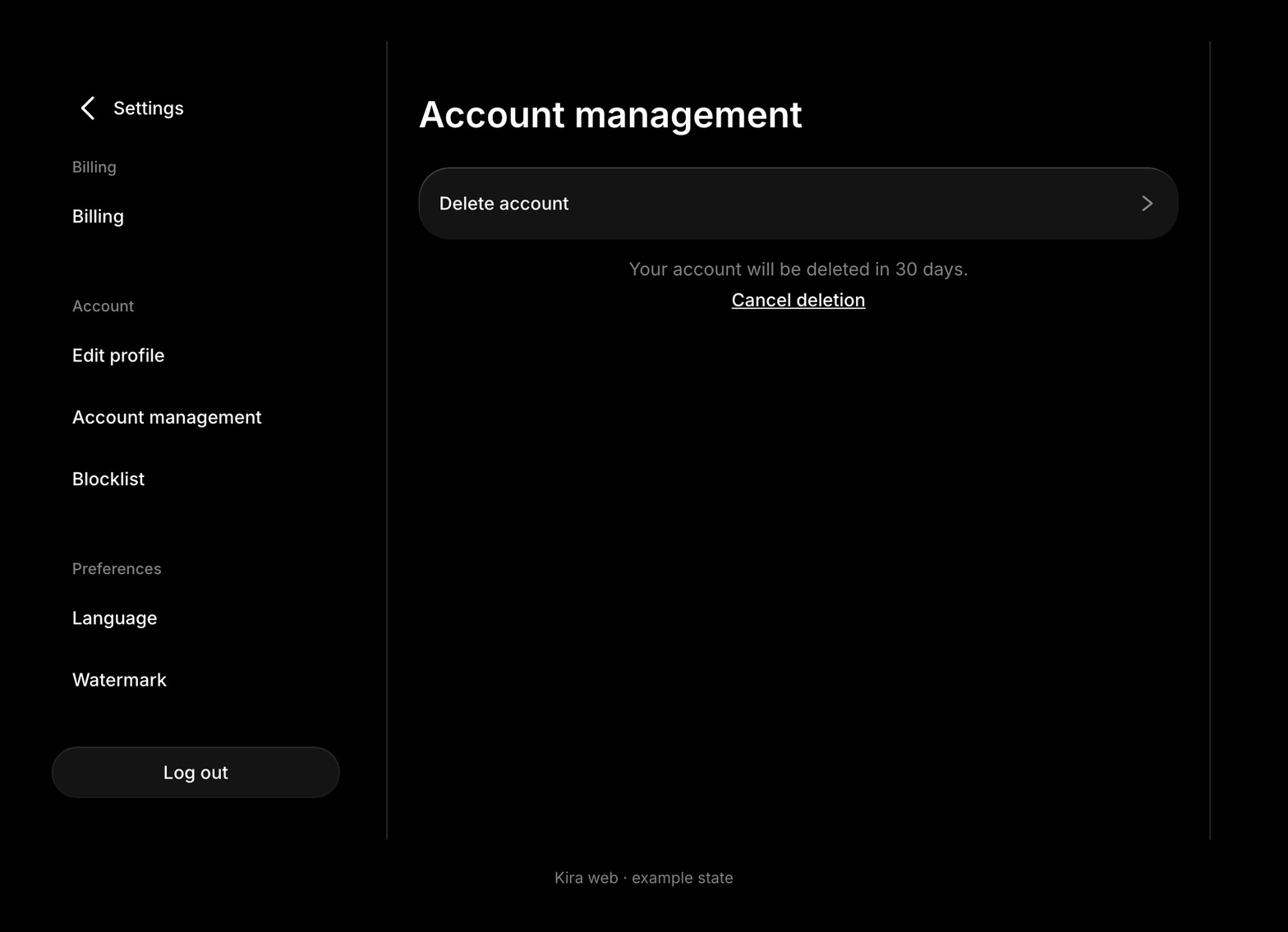
If the cancellation does not complete or the date is close, contact support promptly. A completed permanent deletion cannot be undone.
What happens to data
At the end of the grace period, the account is permanently deleted. Personal information and associated content are deleted or anonymized within the time periods described in the Privacy Policy, except where retention is legally required.
Limited information may be retained for matters such as tax and payment records, fraud prevention, safety, legal obligations, or resolving disputes. This does not mean that the deleted account or its creations can be restored.
Subscriptions and credits
Account deletion is not a substitute for managing store subscriptions. Cancel an Apple or Google subscription in the store's account settings to prevent further renewals.
For a web subscription, review or cancel it through Edit Billing before deletion. Use Billing, Cancellations & Refunds for platform-specific instructions.
Remaining credits expire when the account is closed or terminated, as set out in the Terms of Use. They cannot be transferred to a replacement account or exchanged for cash.
Common questions
Can I delete my account immediately?
The self-service deletion process includes a 30-day grace period. The countdown in Account management shows the scheduled date.
Can I cancel by logging in again?
Log in, then explicitly choose Cancel deletion in Account management. Check that the request is cancelled.
Does uninstalling the app delete my account?
No. Uninstalling the app does not submit an account-deletion request or cancel a store subscription.
Can I recover my creations afterward?
A permanently deleted account cannot be restored. Download the content you want to keep before requesting deletion.
Where can I ask about my data?
Read the Privacy Policy or contact [email protected] with the account email and your question. Do not send passwords.