
Invite friends, earn free credits
Last updated:
Every friend who joins Kira through your invite link earns you 50 add-on credits. Your friend starts with 50 add-on credits too, on top of the 30 welcome credits every new account gets. There is no limit: invite more friends, earn more credits.
Where to find your invite link
You need to be signed in. If you choose Share Kira while signed out, Kira asks you to sign in first.
On desktop
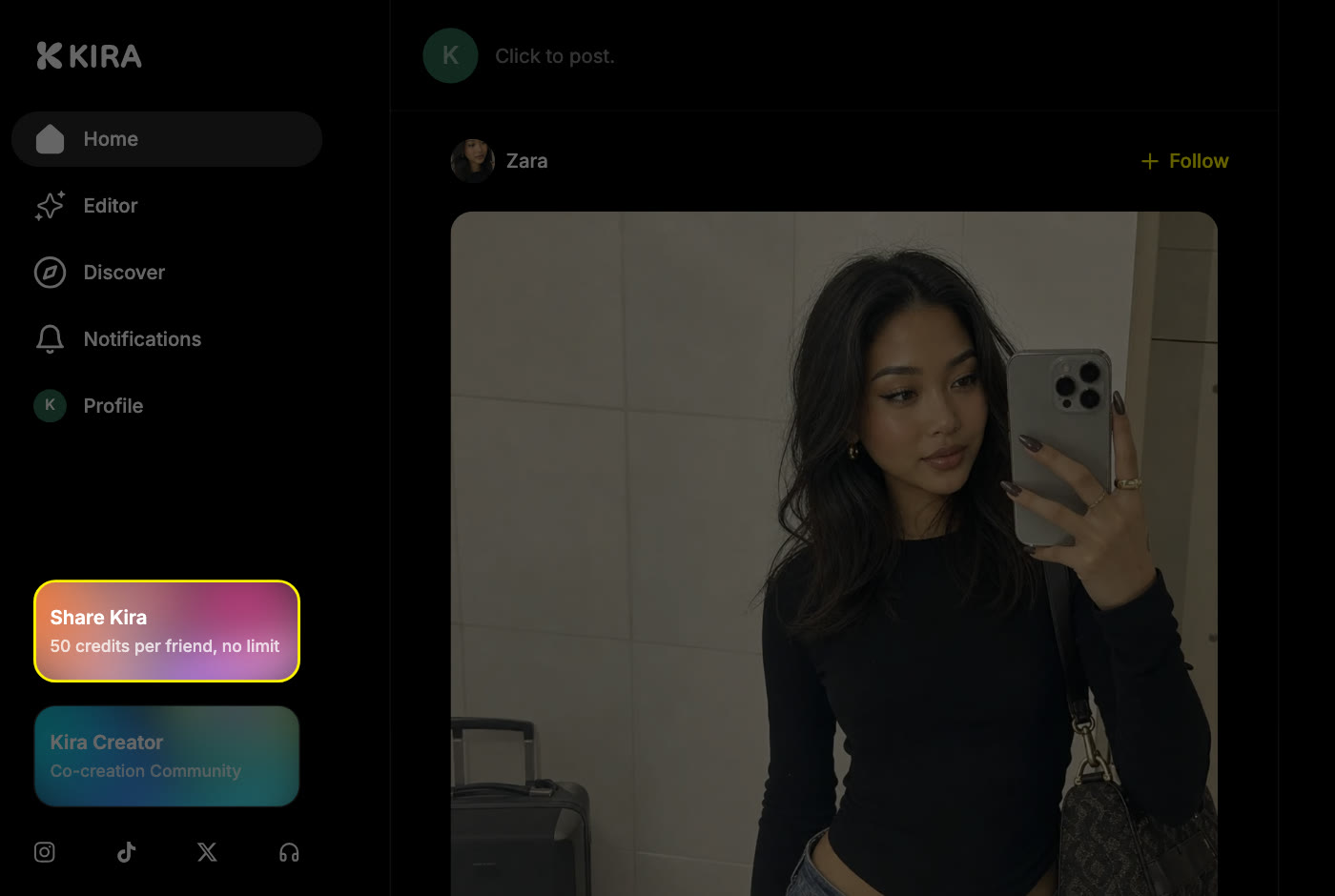
- Find the Share Kira card at the bottom of the left sidebar. It reads "50 credits per friend, no limit".
- Choose it to open the invite window. The window has two tabs: Invite and Your rewards.
- On the Invite tab, choose Invite. Your link is copied and Link copied! appears. Paste it anywhere: a chat, a message, a post.
On mobile web
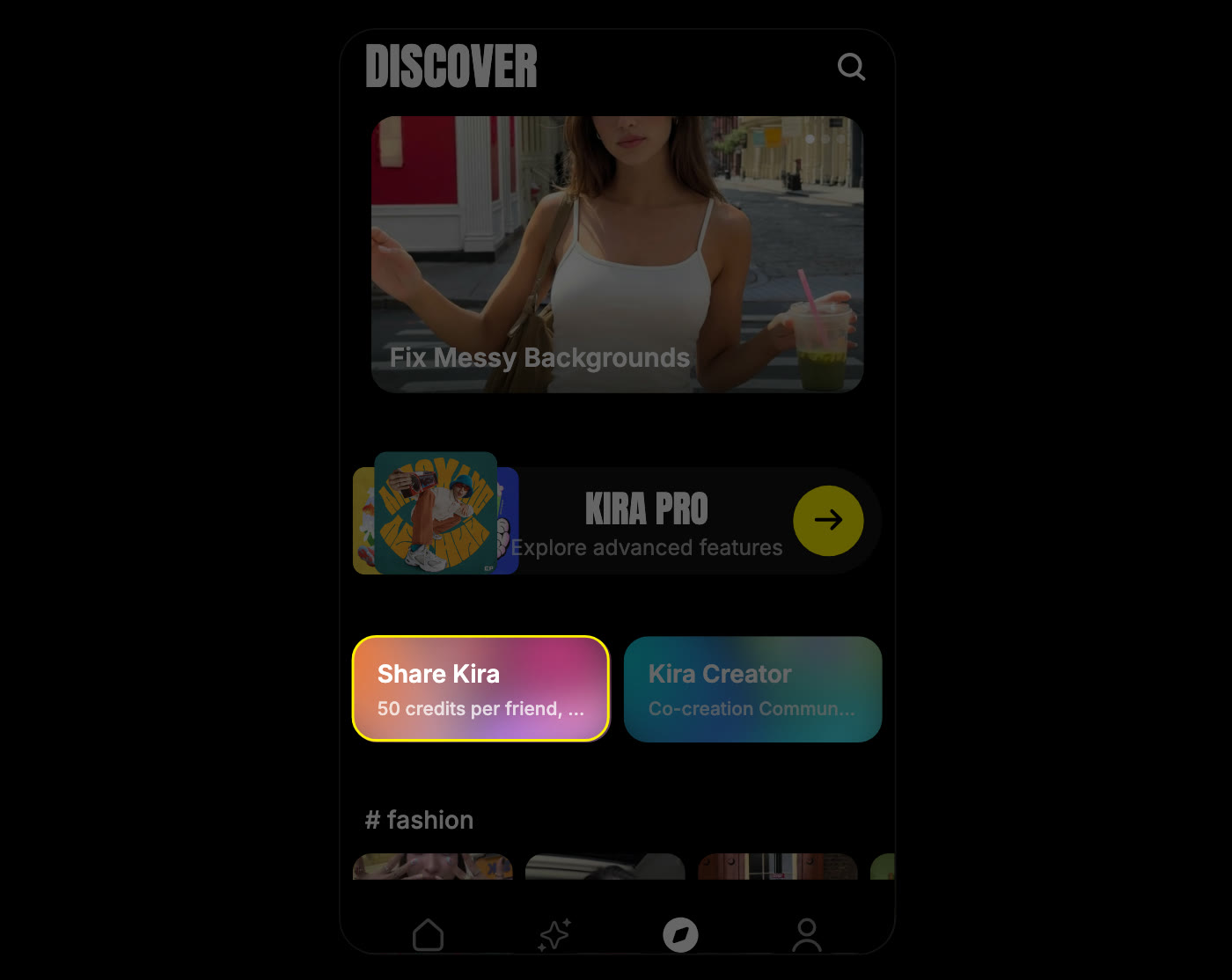
- Open Explore from the bottom bar.
- Choose the Share Kira card.
- On the invite page, choose Invite to open the share panel. Pick an app to send the link with, or choose Copy link.
In the Kira app
The same Share Kira card is on the Explore tab. Choose it, then Invite, and share the link from the share sheet.
Your link starts with kira.is/ and ends with a code that belongs to your account alone, so every signup through it is credited to you. You can share the same link as many times as you like.
What your friend sees
- Your friend opens the link. If they have the Kira app installed, it opens in the app. Otherwise it opens kira.art in their browser.
- A message says that you sent them 50 credits. They choose Log in to claim and sign in: with Google on the web, or with Apple or Google in the app.
- Kira creates their account, and a Congratulations message confirms the 50 credits. From there they can share their own link with Invite your friend.
If your friend chooses Not Now, the invite is remembered in that browser, so a signup there later still counts. Opening the link is not a signup by itself: nothing is credited until your friend signs in and the account is created.
When you get your credits
Both rewards are issued the moment your friend's new account is created. There is nothing to confirm or claim on your side.
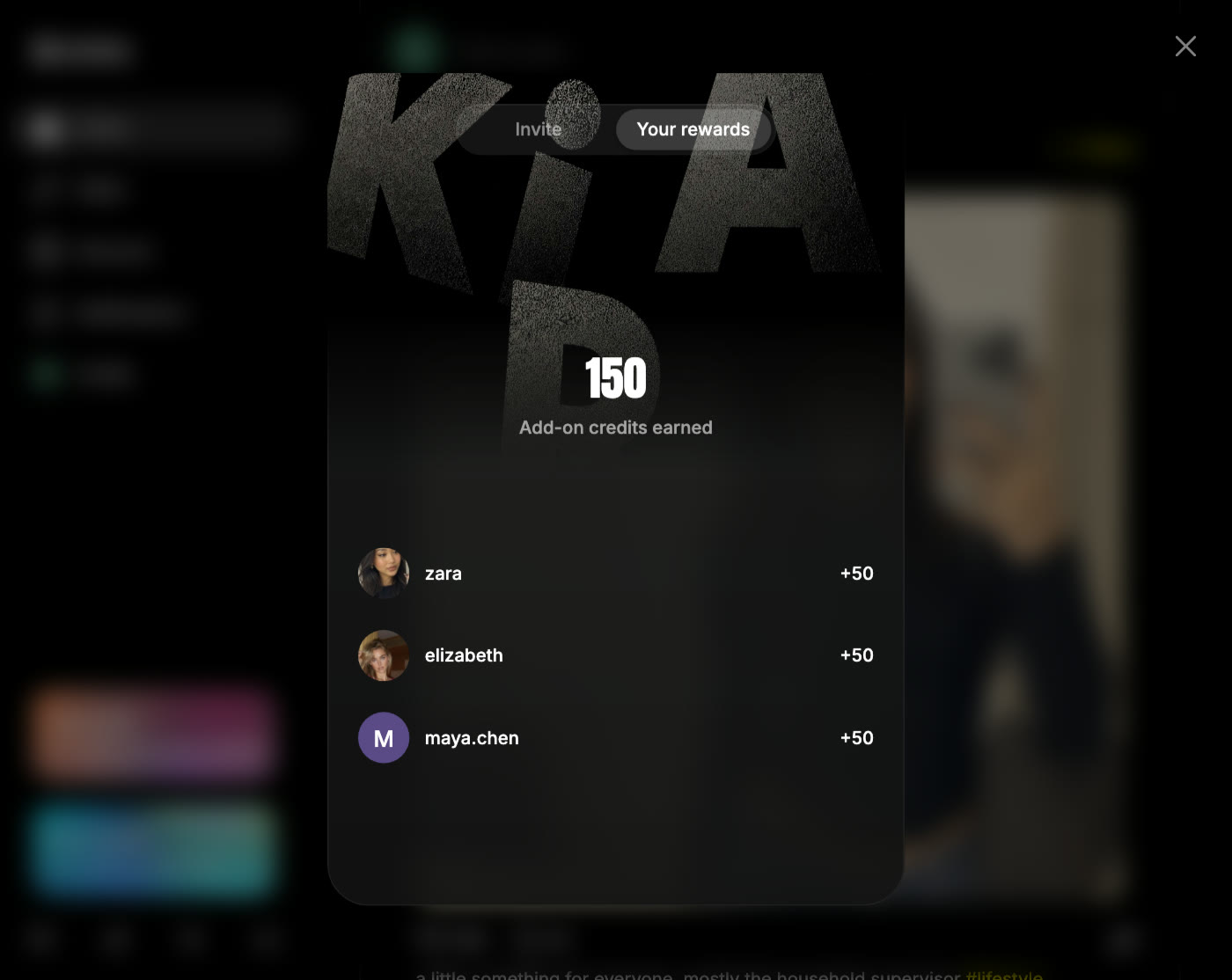
To see who has joined, open the invite window and choose Your rewards. It shows the add-on credits you have earned in total and the people who signed up through your link, with +50 next to each name. Your balance in Profile → Settings → Billing includes these credits.
Referral credits are add-on credits:
- Kira uses your regular credits first, then add-on credits.
- They are not reset when a subscription renews, and they stay when a subscription ends.
- They work on the Free plan. They do not unlock features your plan does not include, such as video generation.
See Credits & Usage for how your balance works and what each action costs.
What counts as a qualifying signup
Your friend must be new to Kira. The rewards are issued only when your link is used to create a new account.
A signup does not count when:
- Your friend already has a Kira account, even if they sign in through your link. An existing account can never be referred, including one that was created without an invite and opens a link later.
- The link is opened while already signed in to Kira. Nothing happens in that case.
- The link is your own. You cannot invite yourself.
- Your friend has already received free credits on another Kira account. Kira then withholds the new account's free credits, including the referral credits for both of you, and tells your friend that free credits are one per person.
Each person can receive free credits once. Creating or using several accounts to collect them again breaks the Terms of Use and can get all of those accounts suspended.
Common questions
My friend signed up, but I did not get credits.
Check Your rewards first. If your friend is listed, the credits are already in your balance. If not, the signup did not qualify: your friend already had a Kira account, signed up without opening your link, or had already received free credits on another account. A friend who opened your link but has not signed in yet is counted as soon as they do.
Is there a limit to how many friends I can invite?
No. Every qualifying signup earns you 50 credits, however many friends join.
Do referral credits expire?
No. They stay in your add-on balance until you use them, through subscription renewals and after a subscription ends. Refunds and account closure can affect credits as described in the Terms of Use.
Can my friend sign up on a phone without the app?
Yes. The link opens kira.art in the browser, and signing in with Google there creates the account and issues the credits. If they install the app after opening your link, Kira tries to match the invite on the app's first launch.
Can I invite from the app and have my friend sign up on the web, or the other way round?
Yes. One link works everywhere, and the credits belong to your account, so they show on the web and in the app.
Where is my invite link in Settings?
It is not in Settings. Use the Share Kira card: in the sidebar on desktop, or on the Explore tab on mobile web and in the app.