Kodak Filter
Get the timeless Kodak look without presets or manual tuning. Kira's Kodak filter uses dynamic filtering to recreate warm tones, soft contrast, and natural grain, perfectly adapted to each photo.

 BeforeAfterBeforeAfter
How It Works
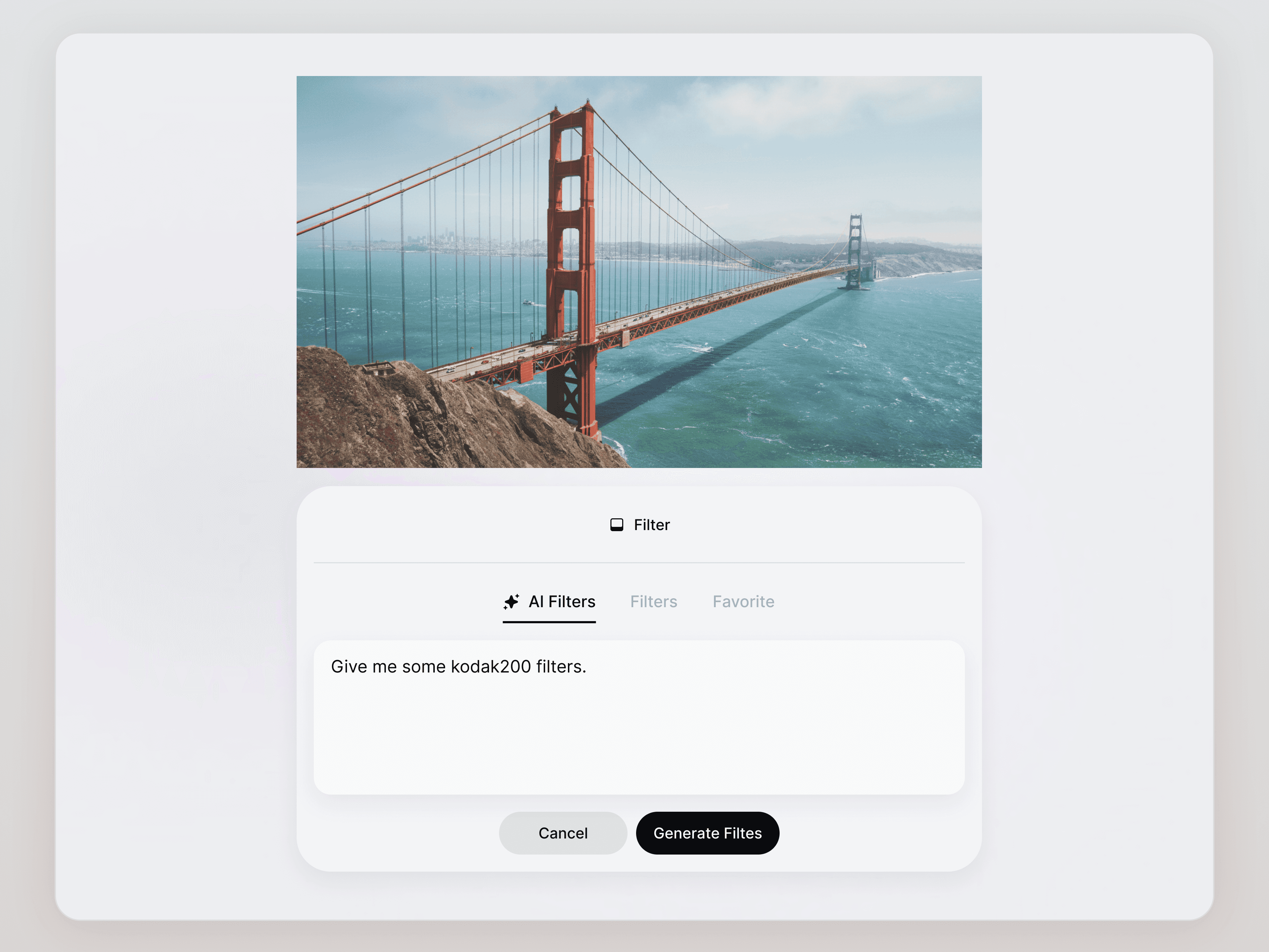
Upload your photo and prompt “Kodak filters”
Any portrait, lifestyle, or everyday shot.
Explore the generated filters
Kira generates 5 different Kodak-style filters, each dynamically tuned to that specific photo.
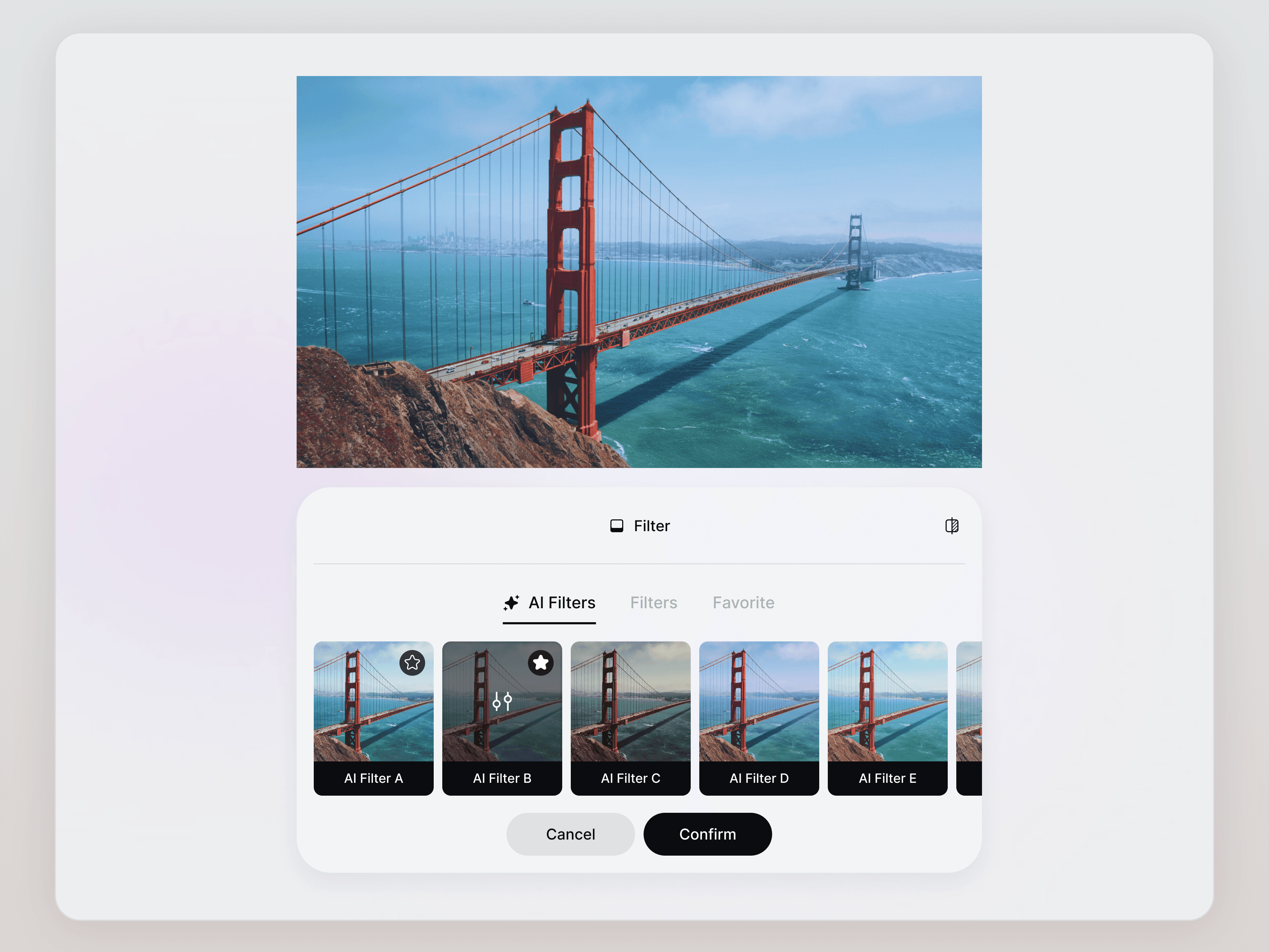
Choose and save
Pick the filter you like, and optionally save it as a preset to reuse on future photos.
Dynamic AI Filter, Not a Preset
Kira's AI filter system goes beyond static presets.
Instead of locking your image into fixed values, the dynamic filter responds to each photo’s unique lighting and composition.
Highlights stay soft, not blown out
Shadows retain detail, not crushed
Skin tones remain natural, not orange
Every image gets its own tailored Kodak-style treatment, no two photos are forced into the same look.
When to Use the Kodak Filter
The Kodak filter works especially well for:
Everyday lifestyle photos
Portraits and street photography
Travel and city moments
Editorial-style social content
It’s ideal when you want a warm, nostalgic feel that still looks modern and clean.
How to Get the Best Results
To get the most out of the Kodak filter:
Use original photos: Avoid heavy edits or color filters before uploading.
Trust the process: Let the dynamic filter do its initial pass.
Refine gently: Small adjustments like “slightly warmer” or “less contrast” go a long way.
Stay consistent: Apply the filter across multiple photos for a cohesive visual style.
Kira Art is designed to keep your look consistent while still respecting the uniqueness of each image.
Try It Now!
Bring classic Kodak film vibes to your photos, without presets, sliders, or guesswork.
Try the Kodak filter on Kira.art and see how AI adapts the look to every photo.
How It Works
Upload your photo and prompt “Kodak filters”
Any portrait, lifestyle, or everyday shot.
Explore the generated filters
Kira generates 5 different Kodak-style filters, each dynamically tuned to that specific photo.
Choose and save
Pick the filter you like, and optionally save it as a preset to reuse on future photos.
Dynamic AI Filter, Not a Preset
Kira's AI filter system goes beyond static presets.
Instead of locking your image into fixed values, the dynamic filter responds to each photo’s unique lighting and composition.
Highlights stay soft, not blown out
Shadows retain detail, not crushed
Skin tones remain natural, not orange
Every image gets its own tailored Kodak-style treatment, no two photos are forced into the same look.
When to Use the Kodak Filter
The Kodak filter works especially well for:
Everyday lifestyle photos
Portraits and street photography
Travel and city moments
Editorial-style social content
It’s ideal when you want a warm, nostalgic feel that still looks modern and clean.
How to Get the Best Results
To get the most out of the Kodak filter:
Use original photos: Avoid heavy edits or color filters before uploading.
Trust the process: Let the dynamic filter do its initial pass.
Refine gently: Small adjustments like “slightly warmer” or “less contrast” go a long way.
Stay consistent: Apply the filter across multiple photos for a cohesive visual style.
Kira Art is designed to keep your look consistent while still respecting the uniqueness of each image.
Try It Now!
Bring classic Kodak film vibes to your photos, without presets, sliders, or guesswork.
Try the Kodak filter on Kira.art and see how AI adapts the look to every photo.
How It Works
Upload your photo and prompt “Kodak filters”
Any portrait, lifestyle, or everyday shot.
Explore the generated filters
Kira generates 5 different Kodak-style filters, each dynamically tuned to that specific photo.
Choose and save
Pick the filter you like, and optionally save it as a preset to reuse on future photos.
Dynamic AI Filter, Not a Preset
Kira's AI filter system goes beyond static presets.
Instead of locking your image into fixed values, the dynamic filter responds to each photo’s unique lighting and composition.
Highlights stay soft, not blown out
Shadows retain detail, not crushed
Skin tones remain natural, not orange
Every image gets its own tailored Kodak-style treatment, no two photos are forced into the same look.
When to Use the Kodak Filter
The Kodak filter works especially well for:
Everyday lifestyle photos
Portraits and street photography
Travel and city moments
Editorial-style social content
It’s ideal when you want a warm, nostalgic feel that still looks modern and clean.
How to Get the Best Results
To get the most out of the Kodak filter:
Use original photos: Avoid heavy edits or color filters before uploading.
Trust the process: Let the dynamic filter do its initial pass.
Refine gently: Small adjustments like “slightly warmer” or “less contrast” go a long way.
Stay consistent: Apply the filter across multiple photos for a cohesive visual style.
Kira Art is designed to keep your look consistent while still respecting the uniqueness of each image.
Try It Now!
Bring classic Kodak film vibes to your photos, without presets, sliders, or guesswork.
Try the Kodak filter on Kira.art and see how AI adapts the look to every photo.